Virtual Football
Available football modes
Sportradar’s Virtual Football is available in different modes and the integration for the following competitions is similar:
Bundesliga
League Mode
Euro Cup
Nations Cup
World Cup
Asian Cup
Champions Cup
Italian League
French League
Spanish League
German League
Unique tournaments
The various football modes use unique match_ids and tournament_ids. Nonetheless it is important to map the tournament_ids to the corresponding competition, if more than one competition is integrated.
For the cup modes, the UI will use the unique_tournament_id to identify for which of the tournaments the calls are made. This is necessary in order to display the correct odds for the two tournaments.
Bundesliga
League Mode
Euro Cup
Additionally, the different stages in Euro Cup mode are structured within dedicated tournaments which have the following ids:
53961
Virtual Football Euro Cup Group A
53962
Virtual Football Euro Cup Group B
53963
Virtual Football Euro Cup Group C
53964
Virtual Football Euro Cup Group D
53965
Virtual Football Euro Cup Group E
53966
Virtual Football Euro Cup Group F
53967
Virtual Football Euro Cup Knock Out
Nations Cup
Additionally, the different stages in Nations Cup mode are structured within dedicated tournaments which have the following ids:
49665
Virtual Football Nations Cup Group A
49666
Virtual Football Nations Cup Group B
49667
Virtual Football Nations Cup Group C
49668
Virtual Football Nations Cup Group D
49669
Virtual Football Nations Cup Group E
49670
Virtual Football Nations Cup Group F
49671
Virtual Football Nations Cup Knock Out
World Cup
Additionally, the different stages in World Cup mode are structured within dedicated tournaments which have the following ids:
60337
Virtual Football World Cup Group A
60338
Virtual Football World Cup Group B
60339
Virtual Football World Cup Group C
60340
Virtual Football World Cup Group D
60341
Virtual Football World Cup Group E
60342
Virtual Football World Cup Group F
60343
Virtual Football World Cup Group G
60344
Virtual Football World Cup Group H
60345
Virtual Football World Cup Knock Out
Asian Cup
Additionally, the different stages in Asian Cup mode are structured within dedicated tournaments which have the following ids:
74607
Virtual Football Asian Cup Group A
74608
Virtual Football Asian Cup Group B
74609
Virtual Football Asian Cup Group C
74611
Virtual Football Asian Cup Group D
74612
Virtual Football Asian Cup Group E
74613
Virtual Football Asian Cup Group F
74614
Virtual Football Asian Cup Knock Out
Champions Cup
Additionally, the different stages in Champions Cup mode are structured within dedicated tournaments which have the following ids:
79196
Virtual Football Champions Cup Group A
79197
Virtual Football Champions Cup Group B
79198
Virtual Football Champions Cup Group C
79199
Virtual Football Champions Cup Group D
79200
Virtual Football Champions Cup Group E
79201
Virtual Football Champions Cup Group F
79202
Virtual Football Champions Cup Group G
79203
Virtual Football Champions Cup Group H
79204
Virtual Football Champions Cup Knock Out
UI - Visualization component
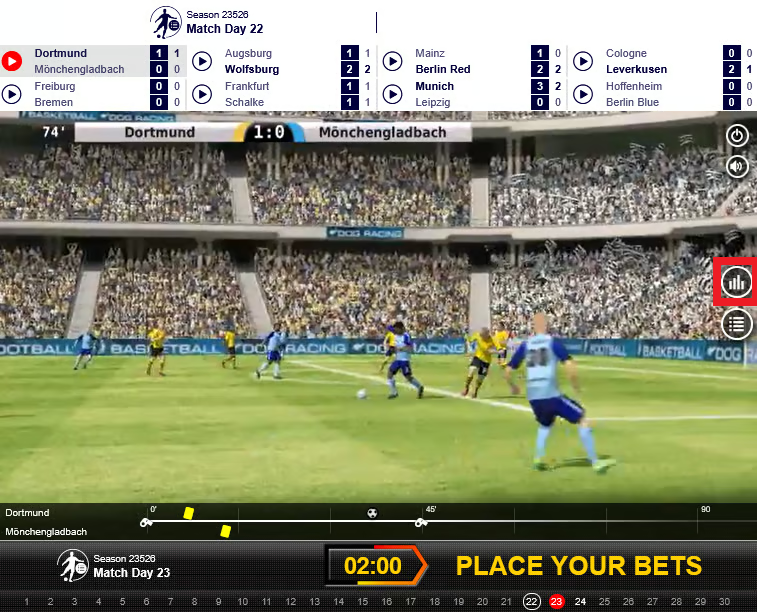
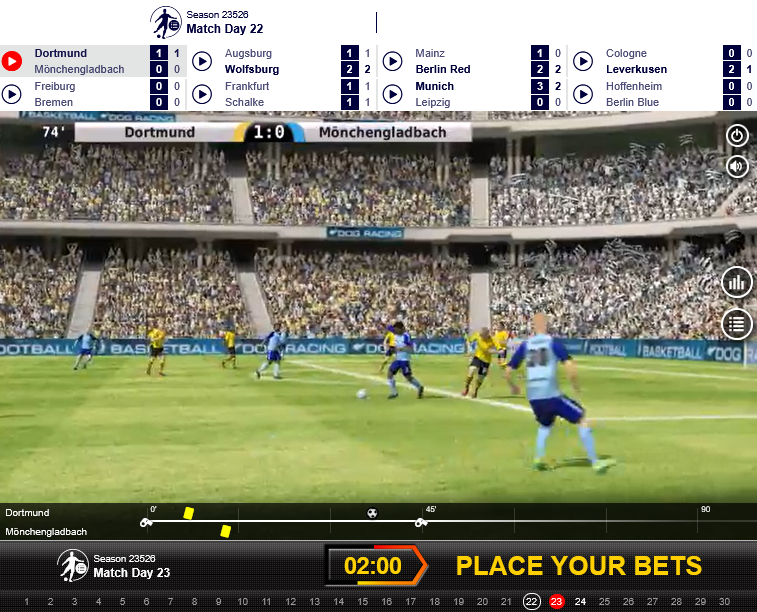
The UI component (Entertainment Area) is delivered as an iframe with a fixed size of 762 x 571 pixel. It consists of a live score component, the video stream, event time line and call to action.

Below you will find en example of an typical integration URL for the Entertainment Area:
clientid
required
Identifies you as a bookmaker in our system. The id will be provided to you by your technical account manager.
lang
optional
Specifies the display language in the visualization component(ISO 639-1 specification).
Most European language are already available and other can be added on demand
style
optional
If needed, your technical account manager will provide you with a style parameter. If not provided, the default style will be applied and there is no further action needed from your side.
oddType
optional
Specifies the odds display format. The parameter does not have impact on how odds are calculated and only triggers a simple conversion from decimal odds to the specified odds format. If this is not specified, the default odds format will be decimal.
For further examples, please refer to the Sportradar iGaming Demonstrator.
Multi language support is available by optional language parameter in URL. Most common languages are already supported, others on demand.
Cross-origin communication between UI and parent iframe
iframeWe need to enable communication between the UI and the market offer (e.g. switch the odds section to selected match day by mouse click at a match day button within the match day selector component).
We also need to consider, most customers may access Sportradar's Virtual Sports via more than one domain name (and of course these domain names may change or new domains need to be added).
Communication between UI and market offer is done via postMessages. The following shows an example for how to listen to the postMessages:
This example implementation can be used to listen to the events of the iframe and execute functions based on the received event type and event data.
The different post messages will be described in the following sub-sections.
There might be other messages as well sent via the postMessage interface of the browser which can be ignored for our applications.
Match day switch
With every bet stop or when a user clicks the match day selector within the UI to go to the next available or past matches, the following postMessage will be sent.
setEvents
setEventsPreset match day
A mouse click on the match day selector component can be simulated by sending the following message via postMessage. This message can be used e.g. to preset the next match day (current match day + 1) after loading the Virtual Football Mode.
As a result, the requested match day will be highlighted and the setMatches postMessage will be sent (refer to section Match day switch):
You can preset the match day by using the match day number or a timestamp. setSelectedMatchday only works for league modes while setSelectedMatchdayByTimestamp works for all modes. Also keep in mind that if there are multiple iframes on a page it needs to be selected via a different method than just by the iframe tag as it is done in the given example.
setSelectedMatchday
setSelectedMatchdaysetSelectedMatchdayByTimestamp
setSelectedMatchdayByTimestampHeight changes of the iframe
iframe The height of the iframe will be provided through following postMessage (height is measured in pixel).
setHeight
setHeightGet team image
Sportradar provides team flags as a PNG image for usage in your market offer.
domain– this describes the environment and will be provided during integration.product– this depicts the virtual sport being integrated and which platform the integration is taking place. e.g.vfnc,vfncstaging,vflm,vflmstaging.clientid– your client id.teamid– thesr:competitor.
Statistics Center integration
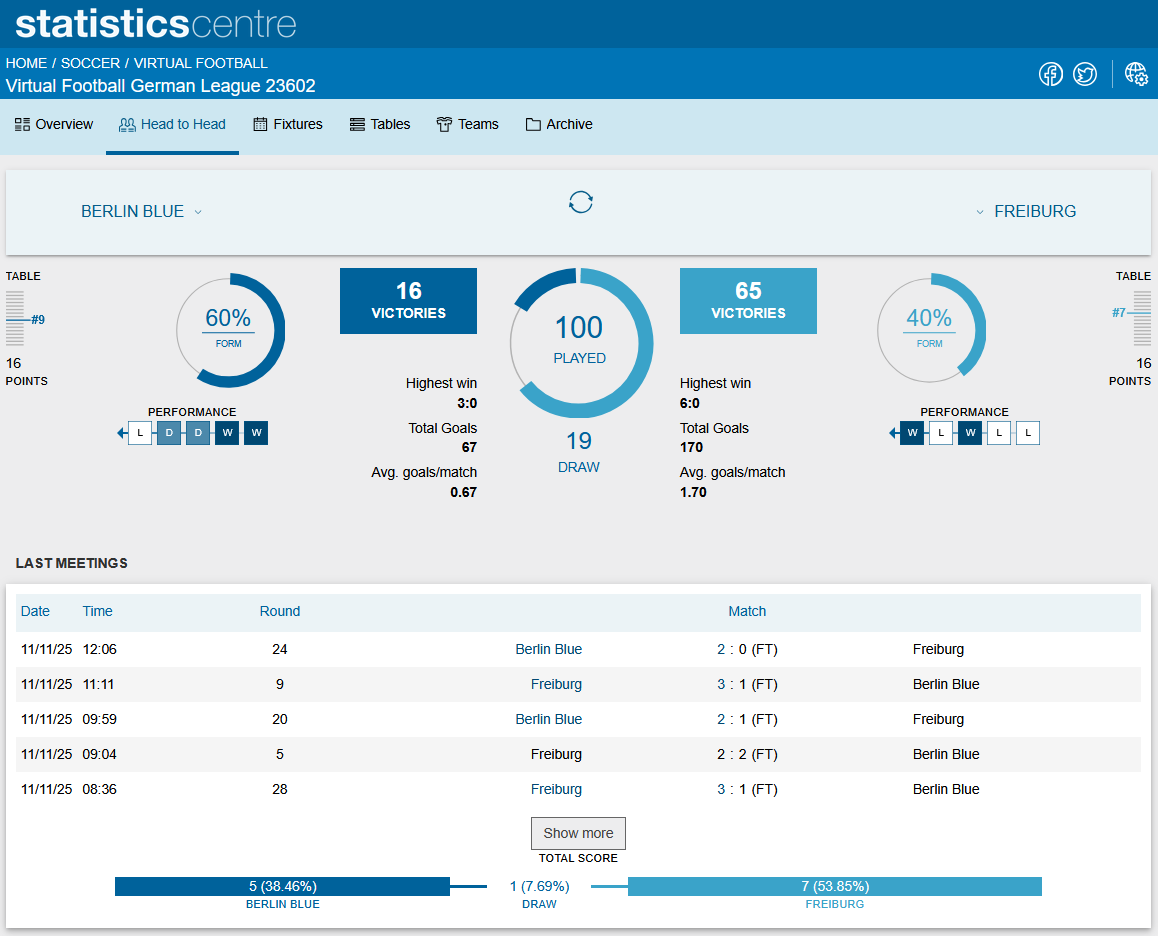
As one important component, Sportradar's Statistics Center (also available for real sport) is fully integrated in all Virtual Football products:

The Statistics Center can be accessed ‘out of the box’ directly by clicking the Icon on the right hand side of the Entertainment Area:

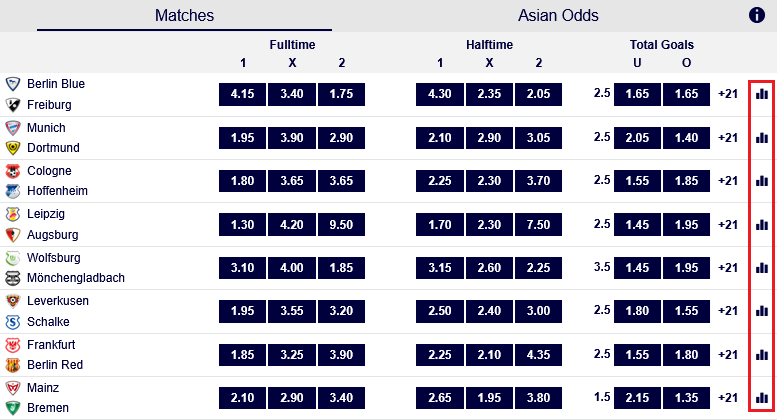
It’s also recommended to add a statistics icon and link to your market offer (to be done on customer side) and refer to the head 2 head statistics for on match level:

The head to head statistics can be opened in a separate popup window by sending the following postMessage:
Last updated
Was this helpful?